

I know with NSX-T there are plenty of terminology tossed around. Here is another one for you in the tunnel endpoint (TEP) 🙂
You may ask, “What is a TEP and why should I care?” Short and simple answer is a TEP enables ESXi hosts to participate in an NSX-T overlay network.
Why should I care? TEPs are an important component of the NSX-T network.
Per VMware, “The NSX-T overlay deploys a Layer 2 network on top of an existing Layer 3 network fabric by encapsulating frames inside packets and transferring the packets over an underlying transport network. The underlying transport network can be another Layer 2 networks or it can cross Layer 3 boundaries. The Tunnel Endpoint (TEP) is the connection point at which the encapsulation and decapsulation take place.”
Somethings to be aware of:
- An IP pool is a container created for assigning IP addresses to tunnel endpoints (TEPs).
- Each Transport Node has a tunnel endpoint (TEP). Each TEP requires an IP address. You can create one or more IP Pools to assign addresses to TEPs.
- The TEP IP Pool does NOT necessarily need to be routable. It is advantageous if you wish to span L3 networks, but not a requirement.
- These IP addresses can be in the same subnet or in different subnets, depending on the IP Pools or DHCP configured for the transport nodes.
- ESXi host TEP VMkernel ports are automatically created when you configure an ESXi host as a transport node
- Compute TEP IP and Edge TEP IP must be in different vlan.
Step by Step How To:
In NSX Manager navigate too:
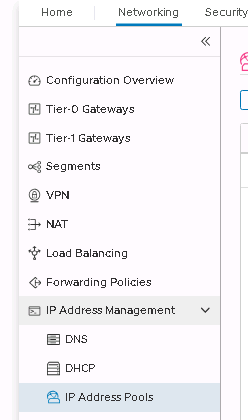
Networking>IP address management>IP address Pools> Add IP Address Pool



Provide a name
Click set under subnets


Add Subnets


I prefer IP ranges
It is annoying but you have to click on the add items after putting in the range


Click add then apply then save and you now have an IP Pool for all your TEPs.
Summary:
As you can see creating an IP Pool is very simple and easy for an important piece of NSX-T. It is impossible to have an NSX-T environment without a TEP IP Pool. I hope you have found these guidelines to be easy to follow and understand.